
Currency
 AED
AED
 AFN
AFN
 ALL
ALL
 AMD
AMD
 ANG
ANG
 AUD
AUD
 AWG
AWG
 AZN
AZN
 BAM
BAM
 BBD
BBD
 BDT
BDT
 BIF
BIF
 BND
BND
 BOB
BOB
 BSD
BSD
 BWP
BWP
 BZD
BZD
 CAD
CAD
 CDF
CDF
 CHF
CHF
 CNY
CNY
 CRC
CRC
 CVE
CVE
 CZK
CZK
 DJF
DJF
 DKK
DKK
 DOP
DOP
 DZD
DZD
 EGP
EGP
 ETB
ETB
 EUR
EUR
 FJD
FJD
 FKP
FKP
 GBP
GBP
 GMD
GMD
 GNF
GNF
 GTQ
GTQ
 GYD
GYD
 HKD
HKD
 HNL
HNL
 HUF
HUF
 IDR
IDR
 ILS
ILS
 INR
INR
 ISK
ISK
 JMD
JMD
 JPY
JPY
 KES
KES
 KGS
KGS
 KHR
KHR
 KMF
KMF
 KRW
KRW
 KYD
KYD
 KZT
KZT
 LAK
LAK
 LBP
LBP
 LKR
LKR
 MAD
MAD
 MDL
MDL
 MKD
MKD
 MMK
MMK
 MNT
MNT
 MOP
MOP
 MUR
MUR
 MVR
MVR
 MWK
MWK
 MYR
MYR
 NGN
NGN
 NIO
NIO
 NPR
NPR
 NZD
NZD
 PEN
PEN
 PGK
PGK
 PHP
PHP
 PKR
PKR
 PLN
PLN
 PYG
PYG
 QAR
QAR
 RON
RON
 RSD
RSD
 RWF
RWF
 SAR
SAR
 SBD
SBD
 SEK
SEK
 SGD
SGD
 SHP
SHP
 SLL
SLL
 STD
STD
 THB
THB
 TJS
TJS
 TOP
TOP
 TTD
TTD
 TWD
TWD
 TZS
TZS
 UAH
UAH
 UGX
UGX
 USD
USD
 UYU
UYU
 UZS
UZS
 VND
VND
 VUV
VUV
 WST
WST
 XAF
XAF
 XCD
XOF
XPF
XCD
XOF
XPF
 YER
YER


AIRY F40GP 40-INCH SMART DC CEILING FAN WITH LIGHT
- €418,00 EUR
€558,00 EUR- €418,00 EUR
- Unit price
- per
Couldn't load pickup availability
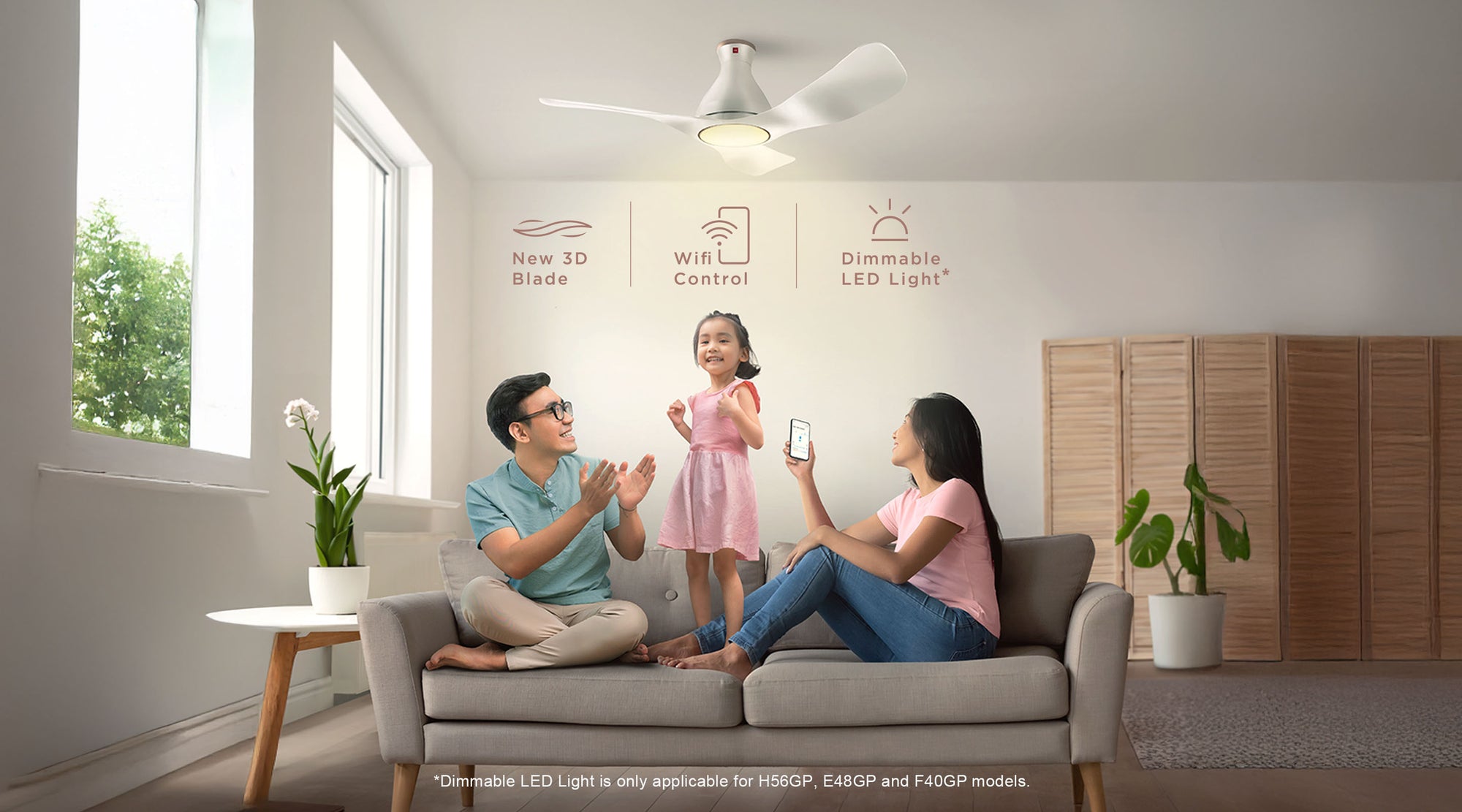
The All New DC Ceiling Fan with Wi-Fi Control Your comfort matters, above all.
Turn on KDK Airy and turn on the comfort, with powerful airflow and lights that can be dimmed to suit your mood –all wirelessly controlled from your phone!

10-speed control

1/F Yuragi

Sleep Mode

Adjustable Color Temperature

Convenience, right at your fingertips.
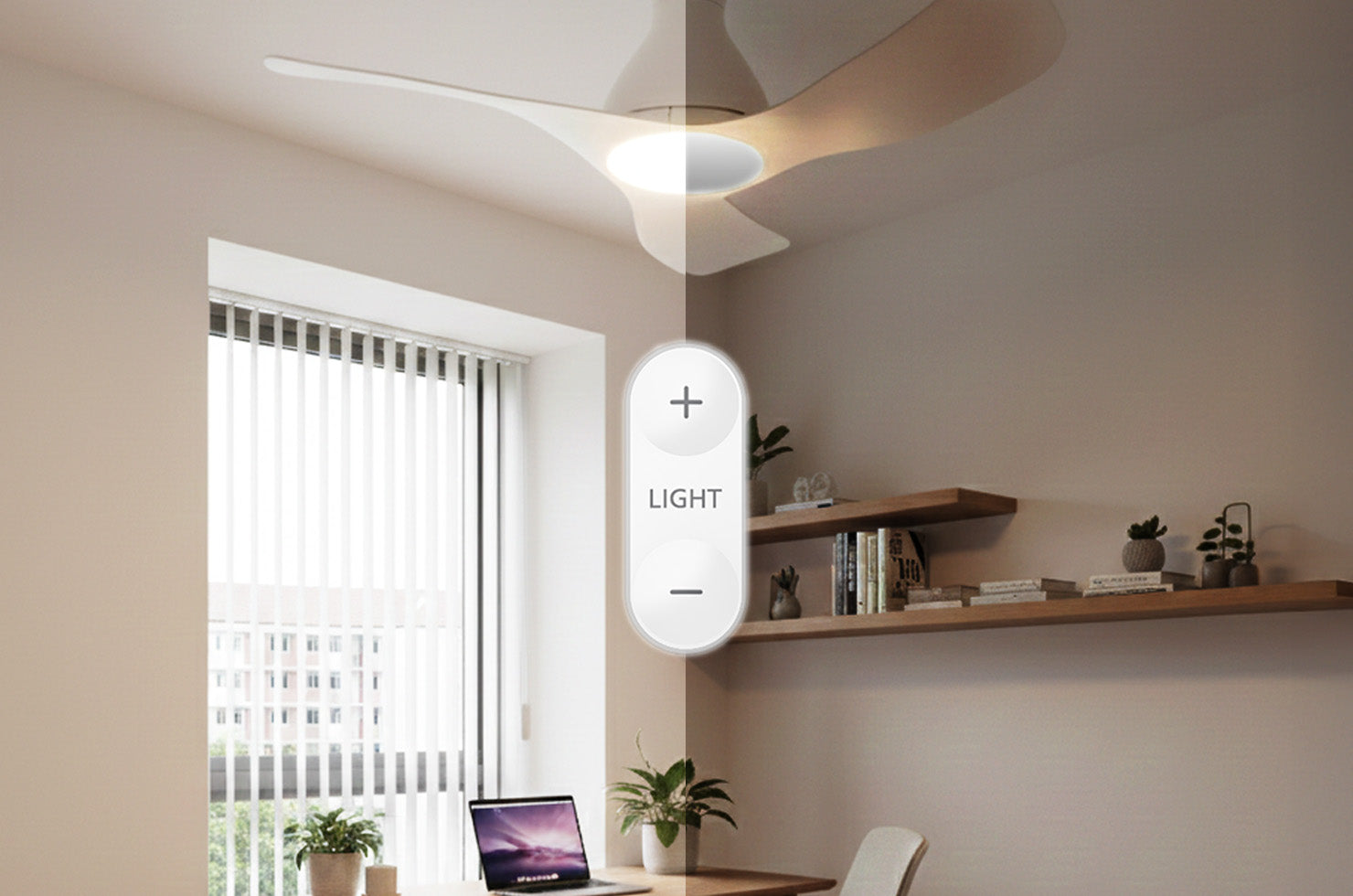
Dimmable to your preferences
Simply slide and adjust the brightness and change the color temperature. From soft & romantic candlelight dinner, to a warm inviting white light for dinner parties. Have it all!
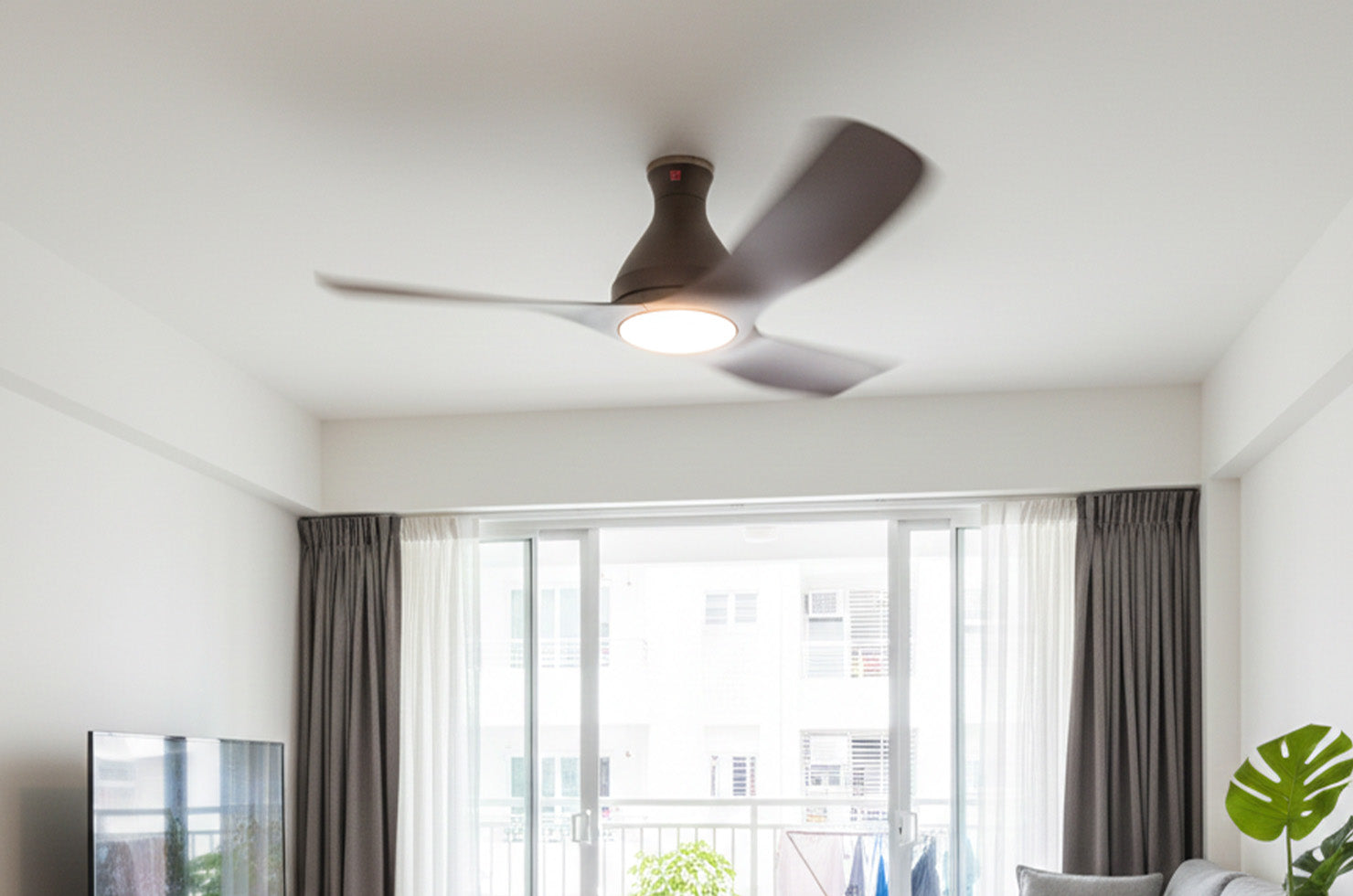
Reverse Mode
Reverse function is available in the KDK Ceiling Fan App. It rotates the ceiling fan in a clockwise motion and draws cool air upwards to circulate the air around the room for even air distribution and comfortable temperature. The reverse function complements with the functions of an air conditioner and helps to maximize the effectiveness of the air conditioner.
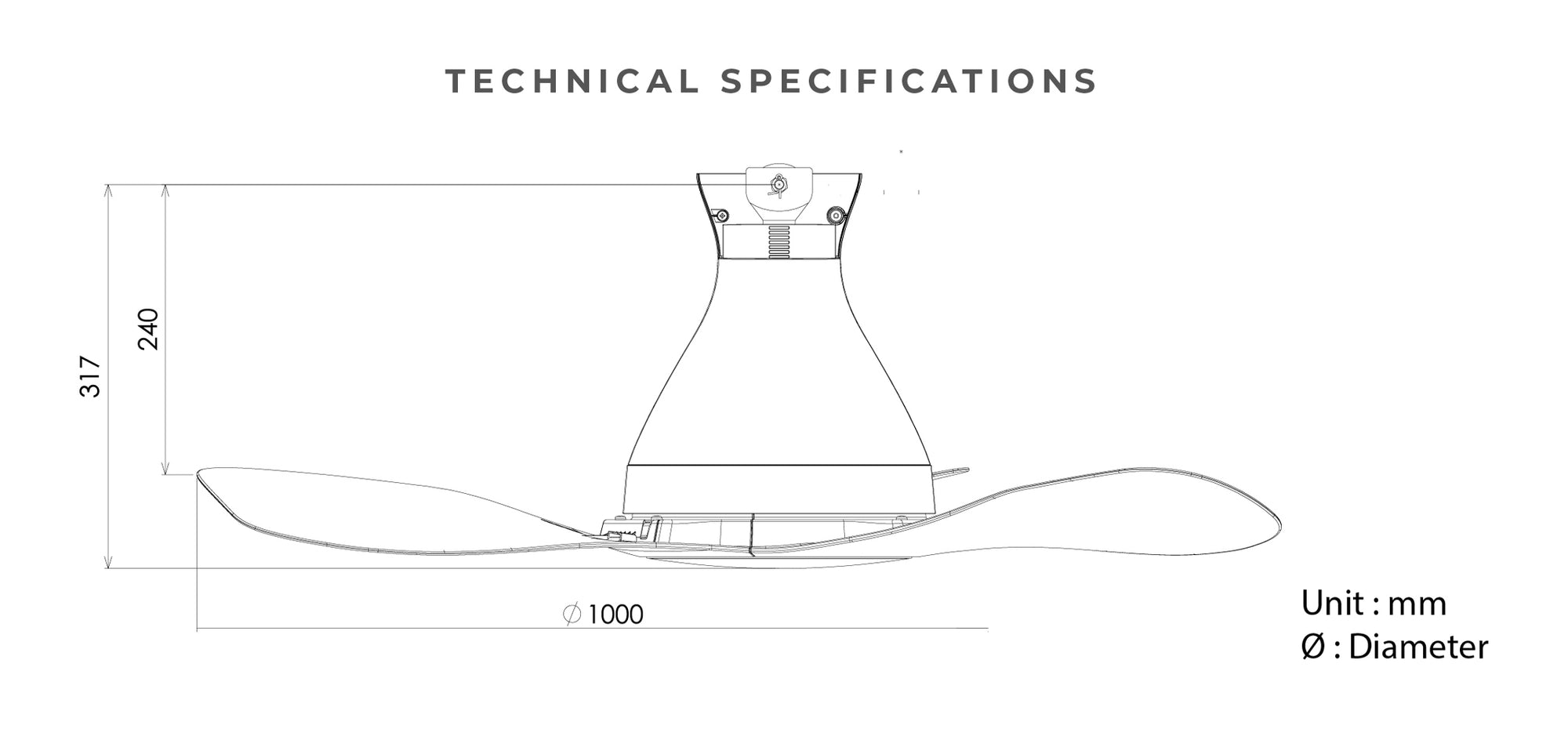
Specifications
| Diameter | 100 cm |
| Rod | 24 cm |
| Height | 31.7 cm |
| LED Lighting | Warm: Brightness up to 200 lx White: 19W LED light = Incandescent lamp 4 x 60W Night Light: (HIGH) - 200lx 1) 4m coverage - strong lighting 2) 6m coverage - moderate lighting 3) 8m coverage - weak lighting |
| Consumption | 31W (Fan) 50W (Fan + Lights) |
| RPM | 235 |
| Air Velocity | 220 m/min 722 ft/min |
| Air Delivery | 155 m3/min 5474 ft3/min |
| Weight | 5.2 kg |
FAQ
|
How do I register my fan to my smart device? 1. Connect fan to router. Click here and refer “How to register product to smart devices” for detailed step-by-step. |
|
How do I know if the fan has successfully registered to the App? If the fan is registered to the App, the name of the fan will be displayed on App homepage. |
|
How to register fan to the App: Go to MAIN MENU > Select “Connected Product” > Find “Product not registered” list > Select “Registration” on the Model Number of the fan you wish to register. |
|
Why is my fan not appearing in the 'Product not registered' list during registration? Please: |
|
What should I do if product registration is not successful? Please: |
|
How do I connect my fan to router? You can use WPS method or Manual (Access Point) method. Click here and refer “How to connect product to home network” for a detailed step by step. |
|
Can I setup the connection while fan is operating? No, please make sure the fan stops operating when you intend to set up connection. |
|
Connection through the WPS method is not working, what should I do? Please: |
|
The Manual (Access Point) method is not working as well? Please: |
|
What should I do if there is no buzzer sound when I setup the connection? Please: |

Related Products
Example product title
- €418,00 EUR
€558,00 EUR- €418,00 EUR
- Unit price
- per
Example product title
- €418,00 EUR
€558,00 EUR- €418,00 EUR
- Unit price
- per
Example product title
- €418,00 EUR
€558,00 EUR- €418,00 EUR
- Unit price
- per
Example product title
- €418,00 EUR
€558,00 EUR- €418,00 EUR
- Unit price
- per
Example product title
- €418,00 EUR
€558,00 EUR- €418,00 EUR
- Unit price
- per
Example product title
- €418,00 EUR
€558,00 EUR- €418,00 EUR
- Unit price
- per
Recently Viewed Products
Example product title
- €418,00 EUR
€558,00 EUR- €418,00 EUR
- Unit price
- per
Example product title
- €418,00 EUR
€558,00 EUR- €418,00 EUR
- Unit price
- per
Example product title
- €418,00 EUR
€558,00 EUR- €418,00 EUR
- Unit price
- per
Example product title
- €418,00 EUR
€558,00 EUR- €418,00 EUR
- Unit price
- per
Example product title
- €418,00 EUR
€558,00 EUR- €418,00 EUR
- Unit price
- per
Example product title
- €418,00 EUR
€558,00 EUR- €418,00 EUR
- Unit price
- per
Example product title
- €418,00 EUR
€558,00 EUR- €418,00 EUR
- Unit price
- per
Example product title
- €418,00 EUR
€558,00 EUR- €418,00 EUR
- Unit price
- per
Example product title
- €418,00 EUR
€558,00 EUR- €418,00 EUR
- Unit price
- per
Example product title
- €418,00 EUR
€558,00 EUR- €418,00 EUR
- Unit price
- per
- Choosing a selection results in a full page refresh.